You already picked C# for your backend. Your APIs run on ASP.NET Core; your data models live in shared class libraries, and your engineers know Visual Studio inside out.
Now your board or enterprise customers want client applications. They want apps on iOS, Android, Windows, and macOS.
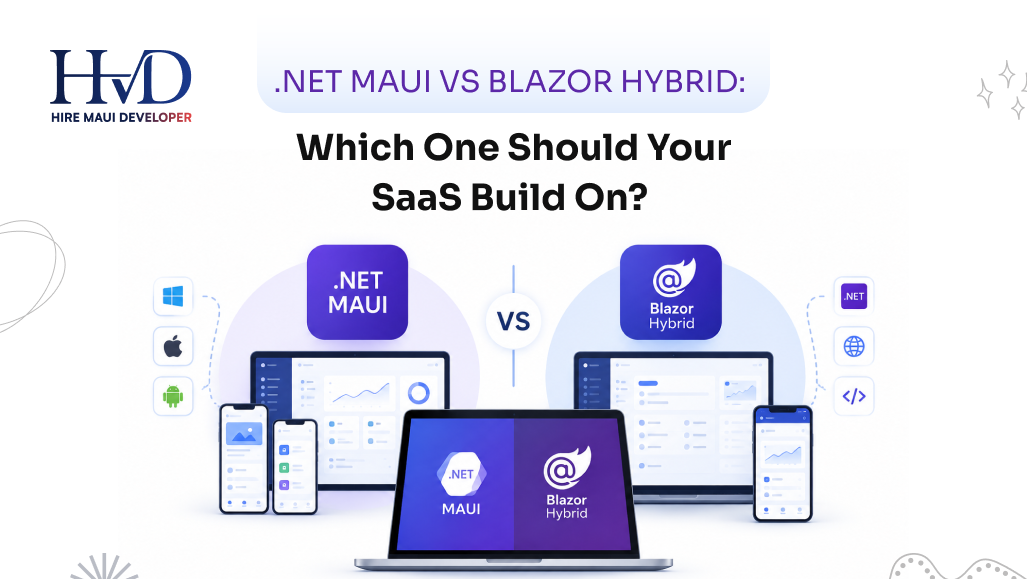
You are down to two paths within the Microsoft stack.
You can build a native UI using pure .NET MAUI with XAML and C#. Or you can build with Blazor Hybrid, wrapping Razor components inside a native web view.
Picking the wrong path burns through six months of product roadmap. I watch engineering teams pick Blazor Hybrid because their web developers feared XAML, only to abandon the project when touch latency on Android ruined the product experience. I watch other teams spend 8 months fighting XAML layout cycles when a simple web view would have shipped in 60 days.
If you want to move quickly without rebuilding your infrastructure, bringing in a dedicated maui developer or cross-platform specialist who has shipped both platforms protects your capital.
Here is the direct comparison between .NET MAUI vs Blazor Hybrid for commercial SaaS products.
The Fundamental Mechanical Difference
People confuse Blazor Hybrid with Electron or progressive web apps.
Electron bundles an entire Chromium browser and a Node.js runtime inside your application package. It consumes 200 megabytes of memory before your application renders a single pixel.
Blazor Hybrid operates differently.
It embeds a native web view control inside a .NET MAUI shell. On Windows, it uses WebView2 powered by Microsoft Edge. On iOS and macOS, it uses WKWebView. On Android, it uses the platform Android System WebView.
Your C# code does not compile to WebAssembly. Your C# code does not run across a slow web socket connection.
Your Razor components execute locally inside the native .NET process, right on the physical device. When a user clicks a button, the web view catches the DOM event and sends a lightweight inter-process message to your .NET runtime. The runtime executes your C# method, calculates the UI diff, and updates the local HTML Document Object Model directly.
Pure .NET MAUI skips the browser engine entirely.
When you declare a button in XAML, MAUI maps that control directly to an Android button widget on Android and an UIButton on iOS. The platform controls handle the layout, the fonts, and the physical pixel drawing.
Understanding what is .net maui starts with this distinction. Pure MAUI builds native operating system view trees. Blazor Hybrid renders HTML and CSS inside a single native container.
Evaluating MAUI vs Blazor Hybrid For User Interface Performance
Performance conversations online are filled with useless theory. Let us look at what happens when your software encounters actual heavy workloads.
List Virtualization and Scrolling Speeds
SaaS applications live and die on data density. Your users want to scroll through 10,000 log entries, warehouse inventory counts, or financial transaction histories.
Pure .NET MAUI handles this via the CollectionView control.
The underlying operating system handles cell virtualization. iOS recycles the native collection view cell instances as the user flicks their thumb down the glass. The animation runs at a clean 120 frames per second on modern displays because the GPU manages the display buffers natively.
Blazor Hybrid relies on the Virtualize component inside the web view.
It calculates the visible window of items in HTML and swaps container elements into the DOM. This works reasonably well on modern desktop chips like an Apple M3 or Intel Core i7.
On a budget Android device carried by a field worker, that DOM swapping stutters. The web view thread has to coordinate with the .NET runtime thread while simultaneously calculating CSS layouts. If your app requires frantic scrolling through thousands of rows, pure MAUI runs circles around Blazor Hybrid.
Visual Layout Rendering Cycles
XAML uses a two-pass layout system: Measure and Arrange.
Every time you nest a grid inside a stack layout inside a scroll view, MAUI queries the operating system to calculate the bounding boxes of every individual element. If your junior developers write deeply nested XAML trees, the UI thread will freeze for 200 milliseconds during navigation while the layout engine recalculates coordinates.
CSS handles complex layouts better.
The browser engine inside WKWebView or WebView2 is the product of thirty years of multi-billion-dollar engineering. Flexbox and CSS Grid calculate layouts faster than XAML layout managers when handling deeply nested information dashboards.
If your product consists of dense administrative panels, interactive data tables, and complex form fields, Blazor Hybrid renders those screens with less structural friction than XAML.
The Reality of Blazor Hybrid For Mobile Apps
Teams love the idea of building responsive web interfaces that magically function as mobile applications.
Using Blazor Hybrid for mobile apps carries trade-offs that software vendors rarely mention in conference talks.
Touch Targets and Interaction Latency
Mobile users have distinct muscle memory. They expect instant visual feedback when their thumb hits glass.
Native controls respond immediately at the hardware level. When you tap a native iOS button, the operating system triggers the highlight state on the exact frame the touch occurs.
In Blazor Hybrid, the touch event travels from the hardware digitizer, through the operating system, into the web view, across the internal JavaScript bridge, and finally into your C# event handler.
We are talking about a delay of 20 to 50 milliseconds.
That delay sounds tiny on paper. In practice, the human brain detects delays above 16 milliseconds as tactile sludge. The app feels slightly heavy. Taps feel like they are pushing through water instead of clicking mechanical switches.

Keyboard Management and Mobile Viewports
Handling software keyboards on mobile platforms is difficult.
When a user taps an input field at the bottom of the screen on an iPhone, the software keyboard slides up and covers half the display.
In pure .NET MAUI, the native layout manager shifts the focused control into view automatically. The operating system coordinates the animation curve of the keyboard with the movement of the view tree.
In Blazor Hybrid, the web view often gets squashed.
The HTML page tries to resize its internal viewport while the operating system tries to resize the native host container. You will encounter visual bugs where fixed footers float above the keyboard, input fields get obscured behind the keyboard frame, or the viewport fails to restore its original scroll position after the keyboard dismisses.
You end up writing custom JavaScript listeners and CSS viewport hacks to fix behaviors that native platforms handle automatically.
Memory Consumption and Binary Sizes
Hardware resources matter when your SaaS client runs continuously in the background of a client machine.
Memory Footprints
Pure .NET MAUI applications are lightweight. A baseline MAUI mobile app consumes around 45 to 70 megabytes of RAM during normal usage. The operating system manages the visual controls within its shared graphic memory pools.
Blazor Hybrid consumes substantially more memory.
The moment you initialize a Blazor web view, the operating system launches an independent browser process. On Windows, your task manager will show multiple Edge WebView2 sub-processes spawning alongside your main application executable.
A simple Blazor Hybrid desktop application sits between 140 and 260 megabytes of RAM at idle.
If your customer runs your desktop client on a dedicated workstation with 32 gigabytes of RAM, this overhead is negligible. If your user is running eight other corporate tools on an older laptop with 8 gigabytes of shared memory, your application becomes a primary target for termination when system resources run tight.
App Installer Sizes
App bundle size directly impacts mobile conversion rates.
A pure .NET MAUI Android APK typically ranges from 18 to 35 megabytes after link-time trimming and ahead-of-time compilation.
A Blazor Hybrid Android APK usually lands between 30 and 55 megabytes because it packages web assets, stylesheet bundles, and additional runtime interop libraries.
The difference is not catastrophic, but it matters if your software is downloaded over spotty mobile networks by field operators in rural locations.
Sharing Code Across Web and Mobile Surfaces
Code reuse is usually the primary reason leadership teams consider Blazor Hybrid.
If your company already operates an existing web application built on Blazor Server or Blazor WebAssembly, Blazor Hybrid offers extraordinary efficiency.
You can extract your Razor components, your CSS styles, and your UI presentation logic into a shared Razor Class Library.
You take that exact same class library and reference it inside a .NET MAUI project. The exact component that renders your customer billing portal in Google Chrome now renders inside a native macOS app bundle and an Android APK.
Your code reuse rate can hit 85% to 90%.
Pure .NET MAUI cannot share UI code with the web.
MAUI uses XAML. The web uses HTML and CSS. You can share your backend business logic, your HTTP clients, your database layers, and your state stores. Your visual layouts must be built twice: once in HTML for the browser, and once in XAML for the mobile and desktop apps.
If your product roadmap requires a web app, an iOS app, and an Android app, and you only have two developers on payroll, Blazor Hybrid is the only framework that makes financial sense. Attempting to build pure MAUI alongside a separate web application with a tiny engineering team leads to stalled releases and burnout.
When companies outgrow basic tools, they often evaluate other cross-platform options. Reviewing maui vs flutter shows that Google's framework shares UI across mobile and web via canvas painting, but it requires learning Dart. Blazor Hybrid keeps your entire stack in C#, which simplifies internal hiring.
Hardware Integrations and Native Device APIs
A common myth claims that Blazor Hybrid cannot access native device features like the camera or file system.
This belief is factually incorrect.
Your Blazor Hybrid code runs directly inside the .NET runtime process. It does not run inside a sandboxed remote browser. Your Razor components have direct access to the exact same device APIs as pure .NET MAUI code.
You do not need complex JavaScript bridges to access hardware.
When a user clicks a button inside a Razor component, your C# event handler can directly invoke the platform media picker to open the device's camera. It can read local file directories using standard .NET file streaming APIs. It can query platform geolocation services, communicate with Bluetooth barcode scanners, and access native biometric authentication prompts using Touch ID or Windows Hello.
The C# runtime executes these calls with full operating system permissions.
Both platforms share equal access to physical hardware capabilities. The only difference is the surface where the user initiates the action: a XAML control or an HTML element.

Developer Velocity and Hiring Costs
Your tech stack is ultimately a hiring equation. You have to recruit, onboard, and retain engineers who can build and maintain the codebase.
The XAML Developer Deficit
Developers who excel at XAML are difficult to find.
Most engineers with deep XAML backgrounds earned their experience working on WPF or Xamarin. Many of those developers moved into management or transitioned to other ecosystems. Junior developers coming out of universities and bootcamps learn web technologies: HTML, modern CSS, JavaScript, and TypeScript.
When you hire a developer to build pure .NET MAUI, they must understand:
- XAML markup extensions and namespace configurations.
- Value converters and relative data bindings.
- Native Handler lifecycles to fix platform-specific UI bugs.
- Operating system layout idiosyncrasies between Apple UIKit and the Android view system.
The learning curve is steep. If your team makes mistakes, you face memory leaks caused by circular event bindings and uncollected handler references. Check our guide on .NET MAUI developer skills to vet candidates properly.
The Web Developer Advantage
Blazor Hybrid lets you tap into the massive global pool of web developers.
Any developer who understands HTML and CSS can build interfaces for your Blazor Hybrid mobile app. You can use standard modern web design systems. You can pull in Bootstrap, Tailwind CSS, or component libraries like MudBlazor and Radzen.
Your designers do not have to learn mobile interface constraints. They build mockups in Figma, your frontend team converts those designs into standard CSS utility classes, and the application renders identically across every target device.
If you are transitioning legacy applications, look at how xamarin forms to maui migrations operate. Teams with heavy legacy investments often choose pure MAUI to preserve existing XAML structures, while new initiatives lean toward web-based hybrid components to accelerate hiring.
Maintainability And Platform Updates
Operating systems update every twelve months. Apple releases a new iOS version every September. Google updates Android every summer.
These updates introduce breaking changes to platform controls.
Pure .NET MAUI Maintenance Profile
When Apple tweaks the visual styling or internal behavior of a native navigation bar, pure MAUI developers feel the impact immediately.
Microsoft has to update the underlying MAUI Handlers to support the new operating system requirements. If you manage custom handlers or third-party UI controls, you will spend weeks updating NuGet packages and resolving rendering regressions every time a major mobile OS drops.
You are tethered directly to the release cadence of Microsoft's MAUI engineering team.
Blazor Hybrid Maintenance Profile
Blazor Hybrid provides an effective buffer against operating system visual churn.
Because your interface is rendered using HTML and CSS inside the web view, an operating system update rarely breaks your visual layouts. Apple can change the default border radius of native buttons across the entire platform, and your Blazor application will look and function exactly as it did the day you deployed it.
The platform web view container remains stable. You spend less time fixing platform-specific UI bugs and more time shipping commercial features for your paying customers.
Investing in maui for modern business applications often requires choosing between visual conformity with the host operating system and long-term UI stability. Blazor delivers stability at the cost of native personality.
| Decision Factor | Pure .NET MAUI | Blazor Hybrid |
|---|---|---|
| UI Rendering | Native OS widgets (UIKit, AppCompat, WinUI 3) | HTML5 / CSS3 via platform WebView (WebView2 / WKWebView) |
| Web Code Reuse | Backend business logic & DTOs only (0% UI sharing) | 85% - 90% full UI & component reuse via Razor Class Libraries |
| Touch Latency & FPS | Instant hardware reaction, smooth 120 FPS native scrolling | 20-50ms web-bridge latency; potential stutter on budget devices |
| Memory Consumption | Lightweight baseline (45 - 70 MB on mobile) | Heavier baseline (140 - 260 MB desktop; spawns WebView processes) |
| App Binary Size | 18 - 35 MB trimmed APK / app bundle | 30 - 55 MB bundle (includes web assets & runtime interop) |
| Device API & Hardware | Direct native C# API access with full permissions | Direct native C# API access (identical hardware capabilities) |
| Developer Talent | Scarce, highly specialized XAML / WPF / Xamarin veterans | Abundant global pool of HTML, CSS, and modern C# developers |
| OS Update Resilience | Tied to MAUI Handler updates; high visual churn exposure | Insulated by web view; highly resilient to OS UI redesigns |
| Optimal Use Case | Mobile-first, field worker tools, high-speed offline data apps | Desktop-heavy SaaS, dense data dashboards, fast-to-market MVPs |
The Operational Decision Framework
Here is the exact criteria I use when advising enterprise founders on selecting their client architecture.
Pick Pure .NET MAUI If:
- Your product is mobile-first: The application will be used primarily on phones and handheld scanners where touch responsiveness, fluid gestures, and 120Hz scrolling are mandatory.
- You need deep OS integration: You are building custom home screen widgets, complex lock screen controls, or applications that rely heavily on native background audio/video playback pipelines.
- Your engineering team is stacked with .NET desktop veterans: You already employ engineers who built enterprise software in WPF or Xamarin and think naturally in terms of MVVM, bindings, and XAML hierarchies.
- Offline data throughput is massive: Your users perform continuous, high-speed data manipulation where the microsecond overhead of an inter-process web view bridge degrades the operational workflow.
Pick Blazor Hybrid If:
- You already operate an existing Blazor web application: You want to package your existing product into downloadable desktop and mobile store applications with minimal code divergence.
- Your engineering team consists of web developers: Your developers know C# backend patterns alongside HTML and modern CSS frameworks like Tailwind.
- Your product is desktop-heavy: You are building an enterprise workstation tool for Windows and macOS where screen real estate is vast, users navigate via mouse and keyboard, and UI latency is unnoticeable.
- Time to market is your primary metric: You cannot afford to spend twelve months writing dual codebases for web and mobile. You need to deploy functional software to all four operating systems before your current runway expires.
Making The Final Commitment
Both platforms solve enterprise problems.
Pure .NET MAUI gives you raw computational performance, authentic platform controls, and tactile visual responsiveness. You pay for that performance with a difficult developer experience and higher talent acquisition costs.
Blazor Hybrid gives you operational velocity, flexible styling, and unmatched code sharing between your web properties and your native shells. You pay for that velocity with higher baseline memory consumption and subtle touch latencies on budget mobile devices.
Audit your current development team. Look at your runway. Determine whether your users spend their days tapping a glass phone screen in the field or clicking a mouse at an office desk.
Let your operational constraints make the choice for you. Stop searching for theoretical architectural perfection and pick the stack that lets your team ship reliable code to your customers this quarter.
Sarah is a veteran mobile architect specializing in enterprise .NET MAUI systems and cross-platform strategy. She has guided engineering teams across logistics, healthcare, and industrial operations to build high-performance mobile and desktop fleets.