You sit down to budget a mobile application for your company. You map out the features. You look at the required timeline. Then you look at the engineering salaries.
Building a mobile product usually requires paying two distinct engineering teams. You need a Swift team to build the iOS app for the Apple App Store. You need a Kotlin team to build the Android app for Google Play. You are funding duplicate work. Every feature must be coded twice. Every bug must be fixed twice. Every screen must be designed twice.
That operational friction burns capital.
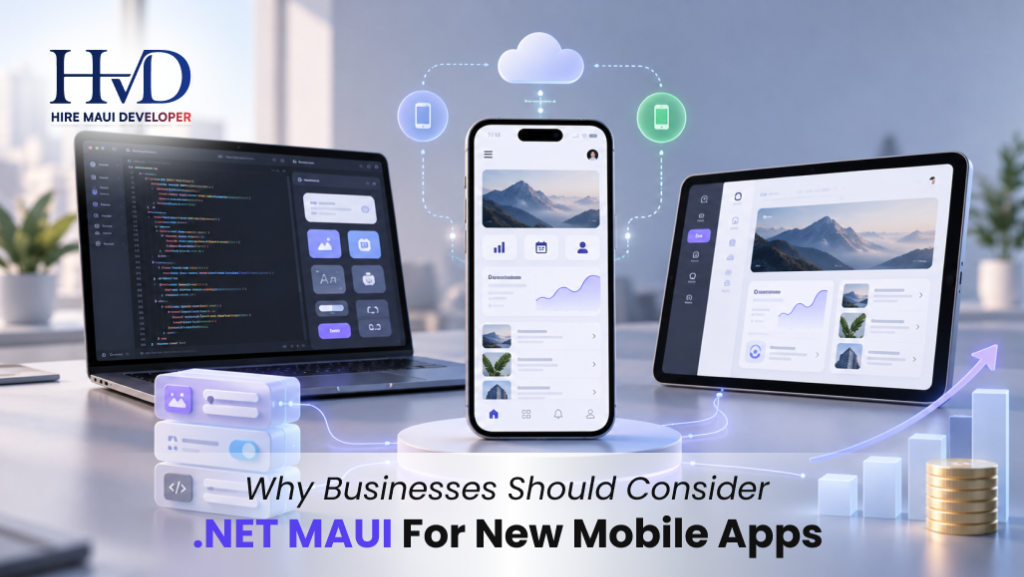
You need a unified approach. Bringing in a highly skilled maui developer changes the financial math of mobile engineering. Microsoft built .NET MAUI to solve the duplicate codebase problem completely. You write the application logic once in C#. You write the user interface once in XAML. The framework compiles that single project into native applications for iOS, Android, Windows, and macOS.
If you evaluate technology stacks based on deployment speed and long-term maintenance costs, MAUI demands your attention. I will walk you through exactly how this framework functions in production and why it fits modern business operations perfectly.
The Crushing Cost of Dual Codebases
Let us look at the actual mechanics of maintaining native applications.
Your product manager requests a simple feature. They want a new barcode scanning screen for warehouse employees. In a dual-stack environment, your iOS developer spends three days integrating the Apple AVFoundation framework to access the iPhone camera. Your Android developer spends three days fighting the Android CameraX API.
You pay for six days of labor to achieve one business outcome.
When the testing phase begins, your quality assurance team has to run the exact same manual tests on both devices. They find a memory leak in the Android version. They find a broken layout on the iPad version. Your release gets delayed by a week while both teams scramble to fix completely different code-level issues.
MAUI consolidates that workflow. Your engineer writes the camera integration code once using the MAUI MediaPicker API. The framework translates that C# command into the correct platform-specific camera invocation automatically.
You cut your feature development time in half. You cut your bug surface area in half.
This efficiency becomes mandatory when budgets tighten. Every dollar you spend writing duplicate navigation logic is a dollar you cannot spend on actual product marketing. Consolidating your stack is a pure operational survival tactic.
Native Execution Without the Browser Baggage
Founders often assume cross-platform tools just load a mobile website inside a native app wrapper.
That assumption applies to older frameworks like Cordova or Capacitor. Those tools render HTML and CSS inside a hidden mobile browser window. The user clicks a button, and they feel a slight delay. The scrolling feels heavy. The application drains the device battery aggressively.
MAUI compiles to actual native binaries.
When you declare a standard button in XAML, MAUI maps that exact control to an UIButton on an Apple device and an android.widget.Button on an Android device. The application uses the exact same hardware-accelerated rendering pipelines as an app written in raw Swift or Kotlin.
You get native performance because you are running native UI components.
Understanding .NET MAUI architecture clarifies this mechanical difference. The framework uses a concept called Handlers. A Handler acts as a direct bridge between your shared C# code and the underlying operating system. If Apple releases a new iOS version with updated button shadows, your MAUI app inherits those new shadows automatically. You do not have to rewrite your UI code to mimic the new Apple design language.
The Microsoft Ecosystem Advantage
Most enterprise companies already run their backend infrastructure on Microsoft Azure. They write their internal APIs using ASP.NET Core. Their engineers know C# deeply.
Introducing a completely new programming language like Dart or Swift into that environment creates massive friction.
Your backend developers cannot read the mobile code. Your mobile developers cannot debug the API endpoints. You build silos. Silos slow down deployment velocity.
MAUI keeps your entire engineering department speaking the exact same language. A developer can write a database query for your backend API on Tuesday and build a mobile settings screen in MAUI on Wednesday.
This shared language allows you to share actual physical code.
You can create a single class library containing your data transfer objects and validation rules. Your ASP.NET backend references that library. Your MAUI mobile app references that exact same library. If a business rule changes and a password requires 12 characters instead of 8, you update the rule in one single C# file. The change propagates to your server and your mobile app simultaneously.
When you compare .NET MAUI vs Blazor Hybrid, you see how deep this code sharing goes. You can even take Razor web components from your internal admin dashboard and embed them directly inside your MAUI mobile application. That level of code reuse across web, mobile, and server environments drastically drops your production costs.

Hardware Access For Industrial Workloads
Consumer apps just need to display text and images. Industrial apps need to talk to physical hardware.
Field service technicians use mobile apps to connect to Bluetooth diagnostic tools. Delivery drivers use apps to print receipts via portable thermal printers. Healthcare workers need biometric authentication to view patient records.
MAUI handles deep hardware integration beautifully.
The framework provides a massive library of device APIs out of the box. You can access the device GPS, read local secure storage, trigger haptic feedback, and check battery levels using simple C# commands. You do not need to write custom Objective-C bindings to figure out if a user has an active internet connection.
When you need specialized hardware access, MAUI lets you drop straight down into the platform layer. You can write raw Android Kotlin code or Apple Swift code directly inside your MAUI project. You isolate the platform-specific code in a special folder, and the compiler handles the rest. You get the speed of a cross-platform framework with the escape hatches of native development.
Desktop Parity for Internal Tools
We talk heavily about mobile phones. Tablets and desktop computers handle massive amounts of corporate workload.
Warehouse managers do not want to review a thousand rows of inventory data on a 6-inch phone screen. They want a proper desktop application running on a large Windows monitor. Building a MAUI app for modern business gives you that desktop deployment practically for free.
The exact same codebase that generates your iOS and Android applications also generates native Windows 11 and macOS applications.
Microsoft engineered the layout system to adapt to large screens. You can use a Grid layout that stacks elements vertically on a phone and spreads them horizontally on a desktop. The navigation structures adapt automatically. A bottom tab bar on an iPhone becomes a top menu bar on a Windows machine.
You stop building separate internal portals for your office staff. You ship one application that scales from a technician's pocket to a manager's desk.
Managing The Legacy Transition
Many companies built their original mobile applications using Xamarin.
Microsoft officially retired Xamarin. You have to move off that legacy technology. Planning your Xamarin Forms to .NET MAUI migration is a mandatory operational requirement.
MAUI is the direct evolutionary successor to Xamarin. Microsoft rebuilt the entire rendering architecture to fix the performance bottlenecks that plagued older Xamarin applications. They merged the fragmented project structure into a single, clean workspace.
Migrating requires engineering effort. You have to update your NuGet packages. You have to convert old Custom Renderers into modern Handlers. You have to fix deprecated API calls.
The payoff is a massive reduction in app startup time. Your application footprint shrinks. Your developers spend less time fighting broken Visual Studio builds and more time writing features. If you are sitting on a rotting Xamarin codebase, moving to MAUI is the only logical path forward within the Microsoft ecosystem.
Structuring Your Engineering Team
Deciding to use this framework leads directly to the hiring phase. You need operators who know how to ship production code.
The talent market for C# developers is massive. Finding engineers who understand the specific quirks of mobile UI lifecycles is harder. When you decide to hire .NET MAUI app developers, you have to test their specific knowledge of the framework.
Ask them how they handle memory leaks in a CollectionView. Ask them to explain the difference between a Transient and Singleton dependency injection lifecycle inside a mobile shell. If they cannot answer those technical questions clearly, they will crash your application under heavy database loads.
Many businesses choose to partner with a specialized .NET MAUI app development company rather than building an internal team from scratch.
An agency brings established continuous integration pipelines. They know how to automate the brutal process of provisioning Apple distribution certificates. They have QA testers who own dozens of physical test devices. Buying .NET MAUI mobile app development services from an established vendor accelerates your timeline by months.
Custom Solutions Versus Off-The-Shelf Software
You can buy generic SaaS applications to run your business. They rarely fit your actual workflows perfectly.
You end up forcing your employees to change their habits to match the software. Custom .NET MAUI app development flips that dynamic. You build the exact tool your staff needs.
If your logistics company requires a highly specific workflow for taking photos of damaged freight, categorizing the damage, and uploading the data to a legacy AS400 mainframe, generic software fails. You need custom code.
Bringing in dedicated .NET MAUI developers for a new mobile app allows you to map your software directly to your physical operations. You own the intellectual property. You control the release schedule. You never have to wait for a third-party vendor to fix a critical bug.
When internal bandwidth is tight, choosing to outsource .NET MAUI app development keeps your core team focused on your primary revenue generators. Your internal team manages the backend APIs. The outsourced team builds the mobile client. You maintain clear technical boundaries and ship the product faster.
The Reality of Framework Trade-Offs
I will give you the unfiltered truth about this technology. No framework is perfect.
MAUI relies heavily on XAML for user interface design. XAML is verbose. It requires strict formatting. Junior developers often struggle to write clean XAML hierarchies. If they nest too many layout panels inside each other, the application rendering cycle slows down drastically.
You also depend heavily on the open-source community for third-party controls. If you need a highly specific biometric charting library, you might find that the iOS version works perfectly but the Android version has an open bug on GitHub. You have to allocate time for your engineers to fix those edge-case bugs themselves.
Microsoft releases updates frequently. You have to keep your project updated to match the latest SDK releases. If you let your codebase sit untouched for 18 months, upgrading to the newest version requires painful configuration changes.
You accept these maintenance trade-offs because the alternative is worse. Maintaining two completely separate Swift and Kotlin codebases costs significantly more money and requires double the management overhead.

The Operator Checklist for Greenlighting A Build
Before you commit capital to a new mobile build, run through this operational checklist.
- Audit your existing backend: If your company runs on ASP.NET and SQL Server, MAUI is the clear financial winner. You recycle your existing data models and API security protocols immediately.
- Define your target hardware: If your users need the application on their phones in the field and on their Windows laptops in the office, MAUI delivers both targets from one codebase.
- Look at your offline data requirements: Mobile apps frequently lose internet connection inside concrete warehouses or rural delivery routes. MAUI handles local SQLite databases cleanly. Your engineers can build offline-first architectures that sync data automatically when the device reconnects to a cellular tower.
- Calculate your maintenance budget: An app requires continuous updates to survive new operating system releases from Apple and Google. A single MAUI codebase halves your ongoing maintenance costs. You pay one developer to update the project rather than paying two platform specialists.
Shipping The Product
Businesses fail when they overthink their technology stack for six months. They hold endless architecture meetings. They build complex technical matrices comparing ten different frameworks.
Your customers do not care about your technology stack.
They care about the speed of the application. They care about the interface clarity. They care about the utility the software provides.
MAUI gives you the raw performance of native platform components. It gives you the operational efficiency of a single codebase. It taps directly into the massive pool of global C# engineering talent.
You define the core features. You set the aggressive timeline. You source the engineering talent. You build the application, deploy it to the app stores, and get it into the hands of your users. That is how you execute a mobile strategy effectively. Make the decision and start writing code.
Sarah is a veteran mobile architect specializing in enterprise .NET MAUI systems and cross-platform strategy. She has guided engineering teams across logistics, healthcare, and industrial operations to build high-performance mobile and desktop fleets.