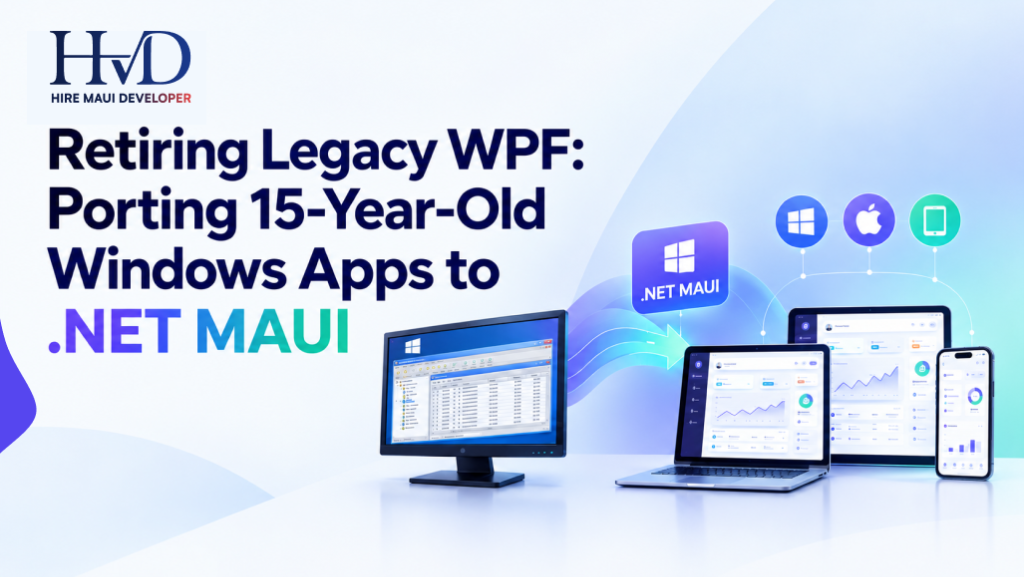
A client opens an old Windows application on Monday morning. The login works. The database connects. Orders load as expected.
Then someone asks for a version that works on an iPad. That's when a seemingly small request turns into a serious engineering discussion. The application was built around Windows; its interface depends on WPF controls, and several business rules live inside event handlers written years ago. The developer who built the original system left the company in 2021.
I've seen why businesses keep these applications running. They do their jobs. Employees know every shortcut; managers trust the reports, and replacing the software sounds like an expensive distraction.
Until the next change takes 3 weeks. For companies considering dedicated .NET MAUI developers, a legacy WPF migration starts with a simple question: how much of the existing application can we keep, and how much work will it take to make the new version dependable?
The answer depends on the code you have, the devices you need to support, and the business processes that nobody can afford to break.
Why a 15-Year-Old WPF Application Becomes Expensive to Maintain
WPF has been around since 2006. Plenty of applications built with it still run perfectly well.
Age alone doesn't justify a migration. The trouble begins when an application's architecture makes routine changes expensive, or when the business needs capabilities that the original design never anticipated.
Consider a wholesale distributor running a WPF application built in 2011. The system handles customer accounts, stock availability, purchase orders, and invoices. It connects to SQL Server and prints documents using a third-party reporting library.
The application works. However, warehouse staff now want to scan products on tablets, and sales representatives want to check stock while visiting customers.
The existing software cannot meet those requirements without substantial changes.
The company has 3 choices. It can extend the existing Windows application and build separate tools for other devices. It can replace the application with a new product. Or it can investigate whether .NET MAUI can support the required workflows while preserving useful parts of the existing code.
That third option deserves a serious assessment.
The Maintenance Problems Usually Hide in the Details
When I look at an older desktop application, I want to know what happens after the first screen opens.
Does the invoice window calculate tax itself? Does closing a customer record trigger a database update? Are permissions checked in the UI, the database, or both? Can the project still build from a clean development machine?
These details matter because they determine how much work the migration team will face.
A project with separate business services and a documented database layer may be relatively easy to work with. Another application with the same number of screens might contain hundreds of dependencies between its windows and business logic.
And then there are the libraries.
A 2011 application may rely on a reporting package whose last release predates the current operating system. Replacing that package can require changes to report definitions, data handling, printing, and testing. The original migration estimate can change quickly when these dependencies surface.
What Actually Changes When WPF Moves to .NET MAUI?
WPF and .NET MAUI both use C# and XAML. Developers familiar with Microsoft's .NET ecosystem will recognize much of the syntax and programming model.
That familiarity helps. It doesn't make the UI portable.
WPF has its own controls, styling system, resource dictionaries, templates, dependency properties, and event mechanisms. MAUI uses a different set of controls and platform handlers. A WPF DataGrid, for example, cannot simply be dropped into a MAUI page and expected to behave the same way.
The same applies to custom window behavior, desktop menus, drag-and-drop operations, and Windows-specific APIs.
If your existing application uses MVVM, you may be able to retain view models that depend on standard .NET interfaces and business services. View models that directly reference WPF types will need changes.
For a practical introduction, read our guide to what .NET MAUI is.
Start with a Reuse Audit, Not a Screen Count
A developer who estimates migration cost by counting windows is missing half the job.
Here's a more useful way to classify an older application.
| Existing Component | Likely Migration Work |
|---|---|
| Business rules written in standard C# | Reuse where dependencies permit |
| Data models and DTOs | Usually reusable after review |
| API clients | Reuse or adapt for the new target frameworks |
| SQL queries and stored procedures | Often retained after compatibility checks |
| WPF windows and controls | Rebuild using MAUI UI components |
| WPF-specific converters and behaviors | Replace or rewrite where needed |
| Custom Windows printing code | Test and adapt for the intended platforms |
| Registry access and COM automation | Keep in Windows-specific code or replace |
| Third-party reporting libraries | Confirm support or plan a replacement |
| Authentication and permissions | Review for each target environment |
I would rather spend a few days producing this inventory than commit to a 6-month migration based on an optimistic guess.
The audit also gives the business a useful record of what its software depends on. That information has value even if the company eventually decides to keep WPF.

The Migration Plan I'd Use for an Old WPF Application
A large rewrite is tempting because it promises a clean codebase. It can also create months of uncertainty, particularly when the existing software contains years of undocumented business rules.
My preference is to migrate in stages.
1. Build the existing application before changing anything
Get the source code, project files, package references, database configuration, and deployment instructions into a controlled environment.
Then build the application from a clean checkout.
This simple exercise can reveal missing DLLs, unavailable package feeds, old SDK requirements, hardcoded file paths, and references to software installed only on the original developer's machine.
Record what works and what fails. Don't start refactoring yet.
You need a reliable baseline before you can judge whether the migrated application behaves correctly.
2. Find the business logic trapped inside the UI
Suppose an old WPF order-entry screen contains a button click handler that checks stock, calculates discounts, validates customer credit, and saves the order.
The problem is that these operations are tied to a WPF event handler. A MAUI page will use a different UI structure, so carrying the same implementation across creates unnecessary dependencies.
Move the business operations into a service with a clear interface. Keep the UI responsible for collecting input and displaying the result.
The existing WPF application can eventually call this service, and the MAUI application can call it too. The implementation will need suitable asynchronous operations and dependency handling, but the business rules now have a cleaner home.
This work also makes automated testing easier. You can test credit validation and inventory rules without opening a window.
3. Choose a workflow that exposes real problems
Don't select the simplest screen just to make the first demonstration look good.
Choose a workflow that includes the dependencies the team expects to encounter elsewhere. For a stock management application, that might mean searching for a product, checking availability, reserving stock, and saving an order.
Build that workflow in MAUI and test it on the intended device.
If the business requires Windows and Android, test both. If iOS is part of the plan, include it early enough to expose any platform-specific issues before the project is well underway.
A proof of concept should answer practical questions about the architecture, dependencies, and delivery effort.
4. Rebuild the interface around the way employees work
A warehouse employee using a tablet has different needs from an accounts employee sitting at a desktop.
The desktop version might use a dense grid, keyboard shortcuts, and several open windows. A tablet version may need larger touch targets, fewer visible columns, and a different way to move between records.
Talk to actual users before copying the old layout.
There is a catch here. People often request a complete replica because they know the existing application well. Some workflows genuinely need to remain familiar, particularly in accounting and operations. Others have accumulated years of unnecessary fields and awkward navigation.
Separate essential behavior from habits that can safely change. Get approval from the people responsible for the process before removing functionality.
5. Compare the results before retiring WPF
Run both versions against representative business scenarios.
Create the same order in each application. Compare tax calculations, discount rules, stock updates, and generated reports. Test invalid inputs and failed database connections.
If the old application allows a user to save an order with a particular validation error, determine whether that behavior is intentional or a defect before changing it.
This stage can be tedious. It is also where a migration earns the trust of the people who depend on the software.
6. Move users in groups
Start with a small group that performs a known set of workflows. Collect defects, fix them, and repeat the testing cycle before moving more users.
Keep a rollback plan. Preserve the original data and make sure the new application handles concurrent updates correctly if both versions are running during the transition.
Retire the old workflow only after the replacement has passed the agreed acceptance tests.
The Awkward Parts of WPF Migration: Printing, Hardware, and Windows APIs
Cross-platform support sounds attractive until a migration reaches a feature that talks directly to the operating system.
Take a manufacturing company whose WPF application communicates with a serial device using a Windows-specific library. The company wants the new application on Windows tablets and Android devices.
The team must determine whether a compatible library exists for Android, whether the device exposes an appropriate interface, and whether communication should remain inside a Windows-specific component.
That decision cannot be made from the XAML files.
Printing presents a similar problem. An application may depend on a Windows printer driver, custom page layouts, and a reporting component that exports directly to PDF. The replacement must reproduce the required output, and the team needs to test the actual printers used by employees.
Other dependencies deserve the same scrutiny:
- Data grids: Test editing, sorting, filtering, keyboard navigation, and large datasets.
- Custom graphics: Identify which WPF drawing APIs need replacement.
- COM automation: Check whether the feature must remain Windows-only.
- File access: Review permissions and file locations on every target platform.
- Authentication: Confirm that the chosen sign-in method works in each environment.
- Third-party reports: Verify support for the target frameworks and operating systems.
A good migration assessment identifies these issues before the team promises a delivery date.
Some features should remain Windows-specific. That's a perfectly reasonable architecture when the business needs them only on Windows.
How Much Does It Cost to Migrate a Windows App to .NET MAUI?
The cost to migrate a Windows app to .NET MAUI depends on the condition of the existing code, the number of workflows, the amount of UI redevelopment, and the platforms you need.
For budgeting, here are illustrative project ranges using an assumed development rate of $25 to $50 per hour. These are planning examples, not fixed market prices or a quote from Hire MAUI Developer.
| Project Type | Estimated Engineering Effort | Illustrative Development Cost |
|---|---|---|
| Small application or proof of concept | 160 to 320 hours | $4,000 to $16,000 |
| Medium business application | 500 to 1,000 hours | $12,500 to $50,000 |
| Large legacy application | 1,200 to 2,500+ hours | $30,000 to $125,000+ |
Actual costs depend on the team, technical requirements, and engagement model. These figures exclude additional licensing, taxes, infrastructure, and other project-specific expenses.
A small application with 12 screens and a clean service layer may fit the lower range. A 40-screen system with offline processing, custom reports, and several hardware integrations can require far more work.
What changes the final estimate?
- The architecture: Business logic separated from the UI is easier to assess and reuse.
- Third-party packages: Unsupported libraries can force the team to replace functionality that users rely on.
- Target platforms: A Windows-only replacement has a different testing burden from an application targeting Windows, Android, iOS, and macOS.
- Data migration: Replacing the interface while keeping SQL Server is different from changing the database or redesigning data storage.
- Testing requirements: Financial and inventory workflows need careful regression testing, especially when the old application has undocumented behavior.
- Production rollout: Training, deployment, support, and rollback planning need to be included in the project budget.
Ask your development partner to separate discovery, development, testing, and rollout costs. You'll get a much better picture of what you're paying for.
How to Choose a Windows App Porting to .NET MAUI Company
Experience with new MAUI projects is useful. Experience with older .NET applications is equally important when your existing codebase contains years of accumulated dependencies.
Ask a prospective developer to explain how they would approach your application. They should be able to identify reusable code, discuss platform restrictions, and explain how they would compare the old and new business behavior.
A sensible assessment should produce a written scope with assumptions, risks, milestones, and testing requirements.
Before hiring, ask these questions:
- Have you worked with existing WPF applications and older .NET Framework projects?
- How will you identify reusable business logic?
- Which WPF controls or third-party libraries might need replacement?
- How will you test existing workflows against the migrated application?
- Can you demonstrate the approach on one representative module?
- What happens if the initial assessment reveals unsupported dependencies?
Be cautious about fixed-price proposals written before anyone has inspected the source code. An estimate can be useful at that stage, but it should state what the vendor has assumed and what might change the price.

When Should You Hire a .NET MAUI Migration Developer?
Consider bringing in a specialist when your internal team understands the existing business processes but lacks experience with MAUI, when cross-platform support has become a real requirement, or when the current codebase is difficult to change safely.
You don't necessarily need a large team on day one.
One experienced developer may be enough for an assessment and a small proof of concept. A larger project may need a technical lead, developers familiar with the existing application, UI development support, and someone responsible for testing and release management.
A staged engagement lets you evaluate the technical approach before committing the full migration budget.
If you're still assessing the business case, read our guide on why businesses should consider .NET MAUI for new mobile apps.
Your goal should determine the plan. If employees need mobile access, focus on the workflows they need outside the office. If maintenance costs are the main problem, investigate the architecture and dependencies first.
Is .NET MAUI the Right Choice for Every Legacy WPF Application?
No. Some applications are better left on WPF.
If your software relies heavily on Windows APIs, specialized desktop controls, or hardware integrations that have no equivalent on other platforms, a well-maintained WPF application may remain the practical choice. Microsoft continues to support WPF, so its age alone doesn't require a replacement.
MAUI becomes a stronger candidate when you need native applications on multiple operating systems and can reuse a meaningful portion of the existing .NET business logic.
You should also compare the project requirements with other frameworks. Our article on .NET MAUI vs Flutter for business applications covers differences that may influence your decision.
Make that decision after reviewing the actual code and required workflows. A framework migration has to justify its cost through a business outcome.
Get a Quote for Windows App Migration to .NET MAUI
If you're planning to retire a WPF application, start by gathering the solution files, current .NET version, dependency list, database details, approximate screen count, and target platforms.
A development team can use this information to prepare an initial assessment. Access to a buildable project and a few representative workflows will make the estimate more useful.
At Hire MAUI Developer, the first discussion should establish what the existing application does, where its dependencies sit, and what you expect the replacement to achieve. From there, the team can define the discovery work, likely redevelopment effort, testing plan, and migration phases.
You can contact Hire MAUI Developer to discuss your project and get a quote for Windows app migration to .NET MAUI.
One final piece of advice: keep the old application available until the replacement has proved itself under real working conditions. Fifteen years of business rules deserve a careful handover, even when the code behind them needs a fresh start.
Sarah is a veteran mobile architect specializing in enterprise .NET MAUI systems and legacy modernization. She has guided Fortune 500 logistics, healthcare, and industrial teams through complex multi-platform deployments across iOS, Android, and Windows.