Your engineering team is sitting in a conference room arguing about mobile frameworks again.
The frontend web developers want to use Ionic because they already know Angular and TypeScript. They swear they can build the entire app in a browser view and ship it to iOS and Android by next month. Meanwhile, your backend C# architects are slamming their coffee mugs down on the table, arguing that wrapping a web app in a Cordova or Capacitor container is a terrible idea for an enterprise tool that needs to scan barcodes and process offline transactions.
Everyone has an opinion. Nobody has looked at production telemetry.
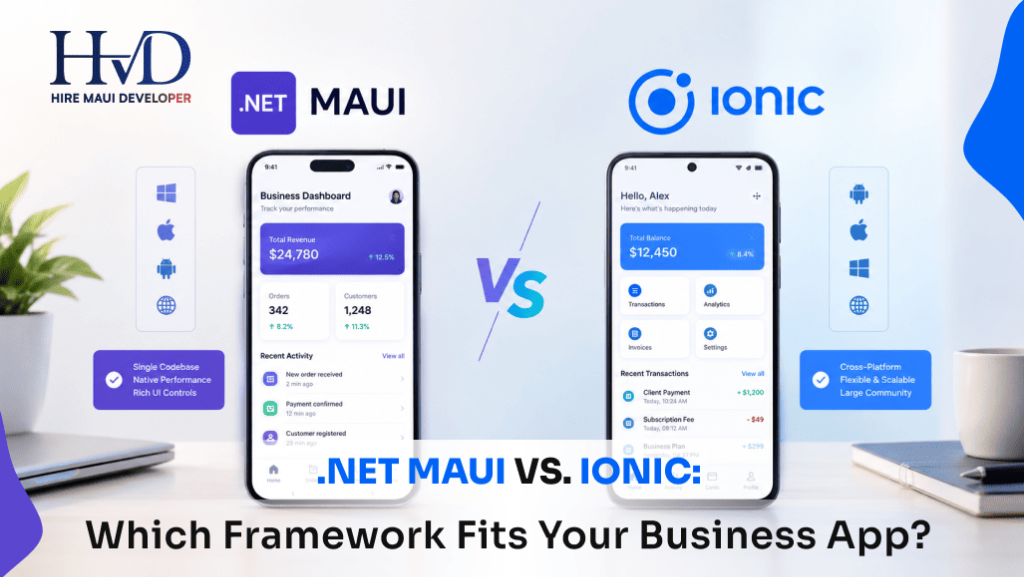
Choosing between these two platforms dictates your mobile roadmap for the next five years. Pick the wrong framework and your users will deal with janky scrolling, slow form submissions, and endless Bluetooth syncing bugs. If you want to bypass the internal turf war entirely, bringing in a seasoned hire maui developer team gives you an objective third-party audit before you commit your budget.
Let us tear down the architecture, performance numbers, and real-world trade-offs of both options.
The Architectural Divide: Native Rendering Versus Web Views
You have to understand what is actually happening under the hood of your phone's operating system.
Ionic is fundamentally a web application disguised as a native app. It relies on a WebView (WKWebView on iOS, WebView2 or Chromium on Android) to render user interfaces using HTML, CSS, and JavaScript. When a user taps a button in an Ionic app, an HTML event triggers a JavaScript function, which updates the DOM inside that hidden browser instance.
If you want to read more about Microsoft's native approach, check out our baseline guide on what is maui.
MAUI takes the opposite route. It bypasses web views entirely.
When a user taps a button in a .NET MAUI application, the framework maps that virtual control directly to a native platform component. On iOS, your XAML layout renders real UIKit buttons and labels. On Android, it renders native Android views.
That architectural difference dictates everything else. Ionic lives inside a browser sandbox. MAUI talks directly to the metal.
Performance Under Load: Frames, Memory, and Startup Lag
Let us talk about how these two frameworks behave when your app is actually under pressure in the real world.
Ionic apps feel fine for simple content consumption. If you are building a corporate blog reader or a static employee directory, Ionic gets the job done with minimal fuss. The web components look clean, and modern smartphone processors handle DOM manipulation easily.
Try building a complex logistics application with Ionic.
Imagine a warehouse worker scanning 400 inventory barcodes an hour using an iPad camera while offline. Every time the scanner triggers, the app has to pass data across the bridge from native hardware APIs to the JavaScript runtime, update the Ionic UI, and write to a local SQLite database.
Under that kind of high-frequency input loop, WebView-based apps start dropping frames. Scrolling through a list of 10,000 inventory items stutters because the JavaScript thread fights with the rendering thread for CPU cycles.
MAUI handles heavy workloads much more reliably because C# compiles down to native machine code or intermediate language that executes efficiently on the CLR. If you compare MAUI against other heavy frameworks, like we did in our breakdown of maui vs flutter, you see that compiled UI trees consistently win raw frame-rate benchmarks during complex animations and data-grid scrolling.

Ecosystem Reality: Talent Pipelines and Enterprise Needs
Your hiring pipeline matters more than theoretical benchmarks.
If your company is an established web shop full of React, Vue, and Angular developers, handing them a C# codebase will cause major friction. Your JavaScript engineers will spend three months figuring out MVVM data binding, XAML syntax, and dependency injection patterns.
Ionic wins the onboarding speed test for web teams.
An experienced web developer can open an Ionic project, write standard TypeScript components, style them with CSS media queries, and deploy a working prototype in days. They do not need to learn a new language ecosystem because they are building web pages that happen to sit inside a mobile wrapper.
On the flip side, if your enterprise already runs on backend C#, Entity Framework, and Azure cloud services, Ionic becomes an administrative headache. Your backend developers will hate writing business logic in JavaScript or TypeScript. They want strict typing, shared domain models, and robust object-oriented patterns.
For a deeper dive into how modern C# teams handle multi-tiered enterprise setups, read our guide on why businesses consider .NET MAUI for new mobile apps. Sharing C# classes directly between your ASP.NET backend and your mobile frontend eliminates entire classes of data-mapping bugs.
Hardware Integration and Native Plugin Bottlenecks
Mobile apps rarely exist in isolation. They need to talk to the physical world.
Both frameworks support device hardware like GPS, cameras, biometric scanners, and push notifications. The implementation mechanics are wildly different.
Ionic relies on Capacitor plugins. If a plugin exists in the community ecosystem for the specific Bluetooth printer model you need, integration is straightforward.
When your enterprise hardware requirements get weird, you hit a wall with Ionic.
Suppose you need to write a custom native wrapper for a proprietary industrial RFID scanner that uses an obscure C++ SDK. In Ionic, your JavaScript developer has to write an Objective-C plugin for iOS, a Java/Kotlin plugin for Android, and bridge both worlds back to TypeScript. Debugging bridge communication failures across three languages on an iPad is a nightmare.
MAUI makes native hardware access much cleaner for C# engineers.
Because MAUI gives you direct access to platform APIs, you can write platform-specific code using C# conditional compilation or partial classes. If you need to access raw iOS CoreBluetooth libraries, you write C# wrappers that call Apple APIs directly. You never have to touch JavaScript bridge code.
For teams building hybrid web interfaces inside desktop and mobile shells, you should also review our analysis of maui vs blazor hybrid, which explores how to embed Razor components directly inside native app containers without sacrificing native performance.
Cost, Maintenance, and Long-Term Enterprise TCO
Founders love asking about initial development speed. They rarely ask about maintenance costs three years down the road.
Ionic projects often suffer from dependency rot.
Because Ionic relies heavily on third-party Cordova and Capacitor plugins maintained by open-source volunteers, major mobile operating system updates frequently break core functionality. Apple drops support for an old iOS web view API, and suddenly your camera plugin stops working right before a product launch. Your team spends two weeks hunting down abandoned GitHub repositories to patch native wrapper code.
MAUI centralizes its ecosystem updates through Microsoft and the .NET release cycle.
When Microsoft ships a new .NET version, MAUI updates alongside it. You get structured long-term support cycles, official NuGet packages, and predictable breaking-change documentation.
Enterprise Project Estimates Comparison
Let us look at actual enterprise project estimates for cross-platform migrations:
| Project Scope | Ionic Approach | .NET MAUI Approach |
|---|---|---|
| Initial Prototype Speed | Extremely fast for web devs | Moderate learning curve for non-C# teams |
| Hardware & Bluetooth Integration | Dependent on Capacitor plugins | Direct C# platform bindings |
| Long-Term Dependency Maintenance | High risk of plugin abandonment | Managed Microsoft release cycle |
| UI Performance on Budget Devices | Noticeable scroll lag on cheap Androids | Smooth native rendering via Handlers |

Picking Your Poison: Choosing Between Ionic and MAUI
Let us drop the marketing fluff and look at how to make the actual decision for your company.
Choose Ionic if:
- Your entire engineering staff consists of web developers who only know HTML, CSS, and TypeScript.
- You are building a content-heavy application, customer portal, or directory app that does not require heavy hardware processing.
- Time-to-market for a basic minimum viable product prototype is your absolute top priority.
- You already maintain a responsive web application and want to wrap that exact web codebase into a mobile shell quickly.
Choose .NET MAUI if:
- Your backend runs on C# and .NET, and you want to share business logic, validation rules, and DTOs directly with the mobile app.
- Your app interacts heavily with device hardware, background sync services, Bluetooth peripherals, or offline SQLite databases.
- You need buttery-smooth 120Hz native scrolling and complex data grids for enterprise users.
- You are modernizing a legacy Windows WPF or desktop app and want to port that C# architecture to mobile and desktop simultaneously.
Conclusion: Which Option Wins Your Architecture?
There is no universal winner in software architecture. There is only the right tool for your specific team dynamics and operational constraints.
If you try to force web developers to build a high-performance industrial scanning app in Ionic, your project will fail. If you force a team of frontend React specialists to learn MAUI architecture for a simple marketing survey app, your timeline will explode.
Look at your payroll. Look at your data flows. Protect your core engineering assets.
When you evaluate .NET MAUI vs Ionic, remember that your users do not care what framework you used. They only care if the app crashes when they click submit. Build defensively, respect your developers' existing strengths, and choose the stack that keeps your business running smoothly for the next decade.
Sarah is a veteran mobile architect specializing in enterprise .NET MAUI systems and cross-platform strategy. She has guided engineering teams across logistics, healthcare, and industrial operations to build high-performance mobile and desktop fleets.